

View an inbox
See the address, unread count, and the date of the last received email on the Inboxes dashboard. You can also search for inboxes by name. Select any individual inbox to view its threads and to make changes to it.Edit an inbox
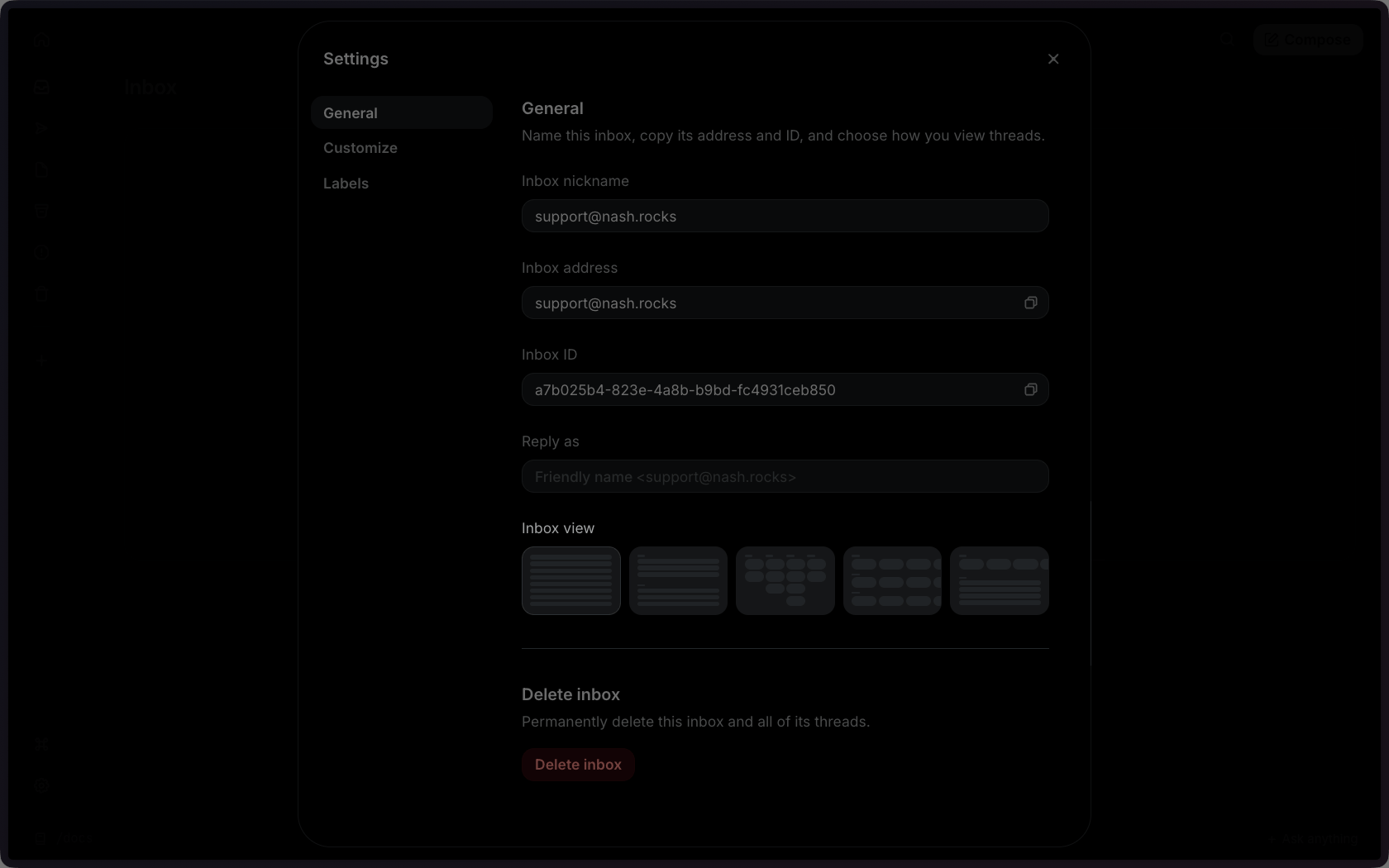
While viewing an inbox, click on the Settings button to reconfigure your inbox. The General settings allow you to change the inbox nickname, which is the name that you see within the Dashboard. You can also change the Reply as name, which is the name that people who receive emails from this inbox will see. This is thefrom_name field in the API.
You can also update an inbox via the API, SDKs, or CLI.
Inbox agent
In the settings menu, under Customize, is the configuration for the built-in agent for this inbox. Each inbox has an agent that can take instructions, perform actions and draft responses. You can find more details about this agent in Inbox Agent.Inbox labels
In the settings menu, under Labels, you can add, edit and remove labels that can be used to organize threads. Find more details about how to use labels under Inbox Labels.Delete an inbox
In the Dashboard, you can delete an inbox either from the settings panel at the bottom of the general settings, or from the list of inboxes. To delete an inbox:1
Click Delete inbox
2
Enter the email address into the form to confirm
3
Delete the inbox
email.received webhooks, they will continue to fire too.